Frida Labs
Frida Labs
This blogs was about this frida challenge here, I found very good conent to practice beginner-intermediate concepts on Frida.
Challenge 0x1 - Hooking a method
Download the apk from the github repo.
We use adb to install on a genymotion emulator, and using jadx-gui to check inside the apk. Inside MainActivity
1
2
3
4
5
6
7
8
9
10
11
12
13
14
15
16
17
18
    public void onCreate(Bundle bundle) {
        super.onCreate(bundle);
        setContentView(R.layout.activity_main);
        final EditText editText = (EditText) findViewById(R.id.editTextTextPassword);
        this.t1 = (TextView) findViewById(R.id.textview1);
        final int i = get_random();
        ((Button) findViewById(R.id.button)).setOnClickListener(new View.OnClickListener() { // from class: com.ad2001.frida0x1.MainActivity.1
            @Override // android.view.View.OnClickListener
            public void onClick(View view) {
                String obj = editText.getText().toString();
                if (TextUtils.isDigitsOnly(obj)) {
                    MainActivity.this.check(i, Integer.parseInt(obj));
                } else {
                    Toast.makeText(MainActivity.this.getApplicationContext(), "Enter a valid number !!", 1).show();
                }
            }
        });
    }
So if we hook the get_random() method and the check() we can bypass this, check method will take the random int and our input.
1
2
3
   void check(int i, int i2) {
        if ((i * 2) + 4 == i2) {
            Toast.makeText(getApplicationContext(), "Yey you guessed it right", 1).show();
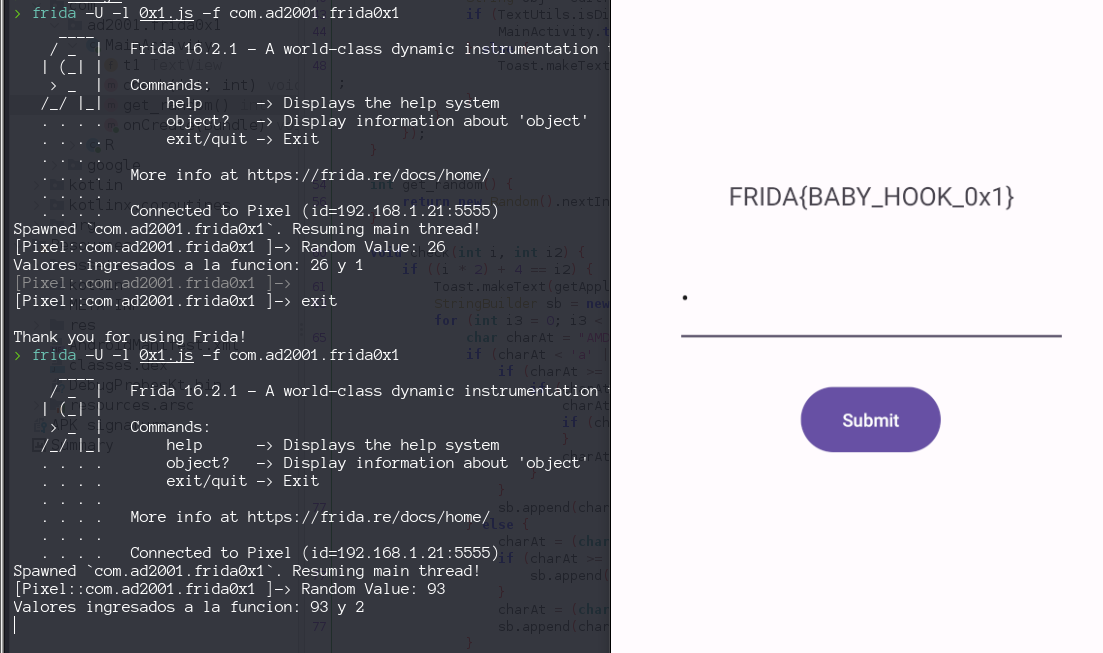
We create this Frida script that, first will log the randomInt generated by the app and second will rewrite the parameters passed to check() function , no matter what randomInt was generated, and no matter what integer we pass to the app. Parameters for check() function will be always 0 and 4, with this we always pass the validation.
1
2
3
4
5
6
7
8
9
10
11
12
13
Java.perform(function () {
    const MainActivity = Java.use("com.ad2001.frida0x1.MainActivity");

    MainActivity.get_random.implementation  = function() {
        var randomInt = this.get_random() ;
        console.log("Random Value: " + randomInt);
        return randomInt ;
    }
    MainActivity.check.implementation = function(int1, int2){
        console.log("Valores ingresados a la funcion: " + int1 + " y "  +int2 );
        this.check(0,4) ;
    }
});
Challenge 0x2 - Calling a static method
We download the apk from github. On screen we saw a message HOOK ME and nothing more to interact, so lets saw the source code from MainActivity
1
2
3
4
5
6
7
8
9
10
11
12
13
14
15
public static void get_flag(int a) {
        if (a == 4919) {
            try {
                SecretKeySpec secretKeySpec = new SecretKeySpec("HILLBILLWILLBINN".getBytes(), "AES");
                Cipher cipher = Cipher.getInstance("AES/CBC/PKCS5Padding");
                IvParameterSpec iv = new IvParameterSpec(new byte[16]);
                cipher.init(2, secretKeySpec, iv);
                byte[] decryptedBytes = cipher.doFinal(Base64.decode("q7mBQegjhpfIAr0OgfLvH0t/D0Xi0ieG0vd+8ZVW+b4=", 0));
                String decryptedText = new String(decryptedBytes);
                t1.setText(decryptedText);
            } catch (Exception e) {
                e.printStackTrace();
            }
        }
    }
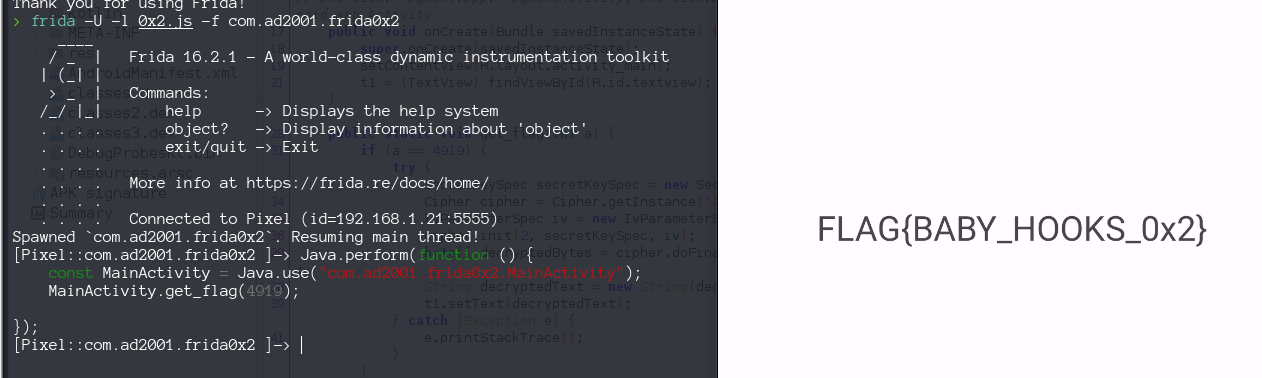
Try first hook this method but, i notice this method is not called form anywhere. So we have to call it ourselves from frida script with the correct argument.
1
2
3
4
5
Java.perform(function () {
    const MainActivity = Java.use("com.ad2001.frida0x2.MainActivity");
    MainActivity.get_flag(4919);

});
Challenge 0x3 - Changing the value of a variable
Download the apk form the github repo.
From the MainActivity we saw.
1
2
3
4
public void onClick(View v) {
    if (Checker.code == 512) {
        byte[] bArr = new byte[0];
        Toast.makeText(MainActivity.this.getApplicationContext(), "YOU WON!!!", 1).show();
what its that Checker.code
1
2
3
4
5
6
7
public class Checker {
    static int code = 0;

    public static void increase() {
        code += 2;
    }
}
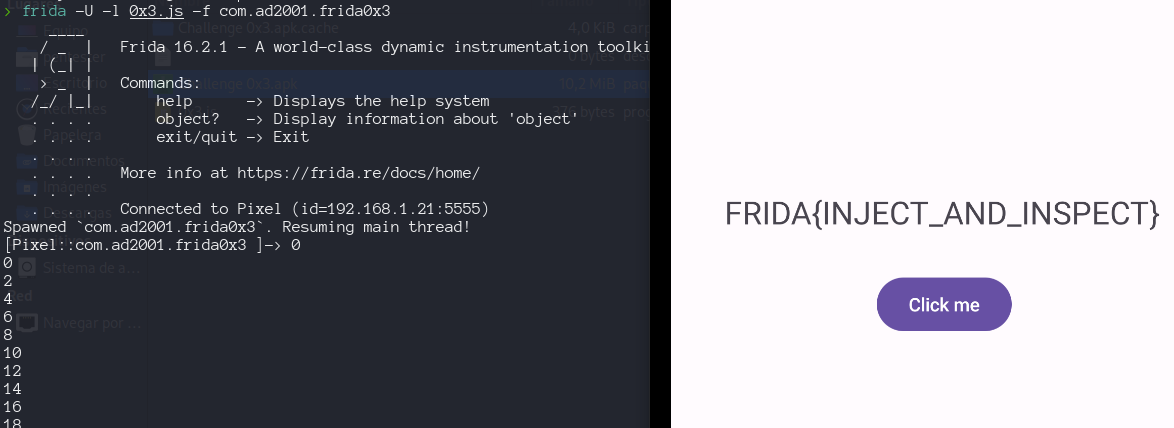
So we have to made the checker.code equals to 512:
- change his value directly
- call the function increase() 206 times
1
2
3
4
5
6
7
8
9
10
11
12
13
14
Java.perform(function () {
 const checker = Java.use("com.ad2001.frida0x3.Checker");
 console.log(checker.code.value);
//     checker.code.value = 512;
 for (var i = 0; i<= 256; i++ ){
     if (checker.code.value != 512){
         console.log(checker.code.value);
         checker.increase();
     }else{
         break ;
     }

 }
});
Challenge 0x4 - Creating a class instance
Download the code form github
From the source code on MainActivity we see nothing there, but we find a class Check
1
2
3
4
5
6
7
8
9
10
11
12
13
14
15
package com.ad2001.frida0x4;

/* loaded from: classes3.dex */
public class Check {
    public String get_flag(int a) {
        if (a == 1337) {
            byte[] decoded = new byte["I]FKNtW@]JKPFA\\[NALJr".getBytes().length];
            for (int i = 0; i < "I]FKNtW@]JKPFA\\[NALJr".getBytes().length; i++) {
                decoded[i] = (byte) ("I]FKNtW@]JKPFA\\[NALJr".getBytes()[i] ^ 15);
            }
            return new String(decoded);
        }
        return "";
    }
}
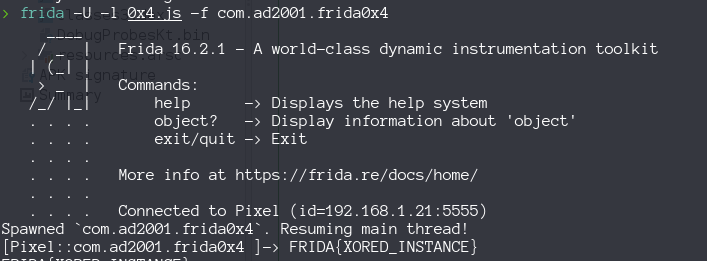
This method is not called anywhere, so we have to instance an object from the class Check and call it oursleves
1
2
3
4
5
6
Java.perform(function () {
    const Check = Java.use("com.ad2001.frida0x4.Check");
    var checkInstance = Check.$new();
    var flag = checkInstance.get_flag(1337);
    console.log(flag);
});
Challenge 0x5 - Invoking methods on an existing instance
We saw this code on MainActivity
1
2
3
4
5
6
7
8
9
10
11
12
13
14
15
16
    public void flag(int code) {
        if (code == 1337) {
            try {
                SecretKeySpec secretKeySpec = new SecretKeySpec("WILLIWOMNKESAWEL".getBytes(), "AES");
                Cipher cipher = Cipher.getInstance("AES/CBC/PKCS5Padding");
                IvParameterSpec iv = new IvParameterSpec(new byte[16]);
                cipher.init(2, secretKeySpec, iv);
                byte[] decodedEnc = Base64.getDecoder().decode("2Y2YINP9PtJCS/7oq189VzFynmpG8swQDmH4IC9wKAY=");
                byte[] decryptedBytes = cipher.doFinal(decodedEnc);
                String decryptedText = new String(decryptedBytes);
                this.t1.setText(decryptedText);
            } catch (Exception e) {
                e.printStackTrace();
            }
        }
    }
We can not recicle the code from the 0x4 exercise becuase it will generate an error, why? Well we can’t create an instance of MainAcitvity.  To invoke methods on an existing class we will need two APIs
- Java.choose: enumerates through instances of the specified Java class (provided as the first argument) at runtime.
This was strange to me beacuse sometimes appear this error 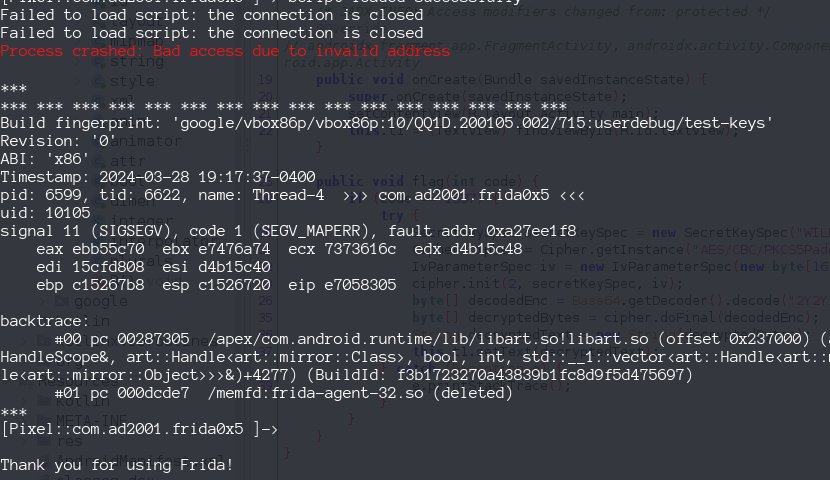
1
2
3
4
5
6
7
console.log("Script loaded successfully ");
Java.perform(function() {
    Java.choose('com.ad2001.frida0x5.MainActivity', {
        onMatch: function(instance) {console.log(instance.flag(1337));},
        onComplete: function(){console.log("Instance doesn't found");}
        });
});
I had to run frida with the script, the first time i doens’t work but if i repeat the script on frida we saw its works , it you repeat one more time it will be crash. weird ! 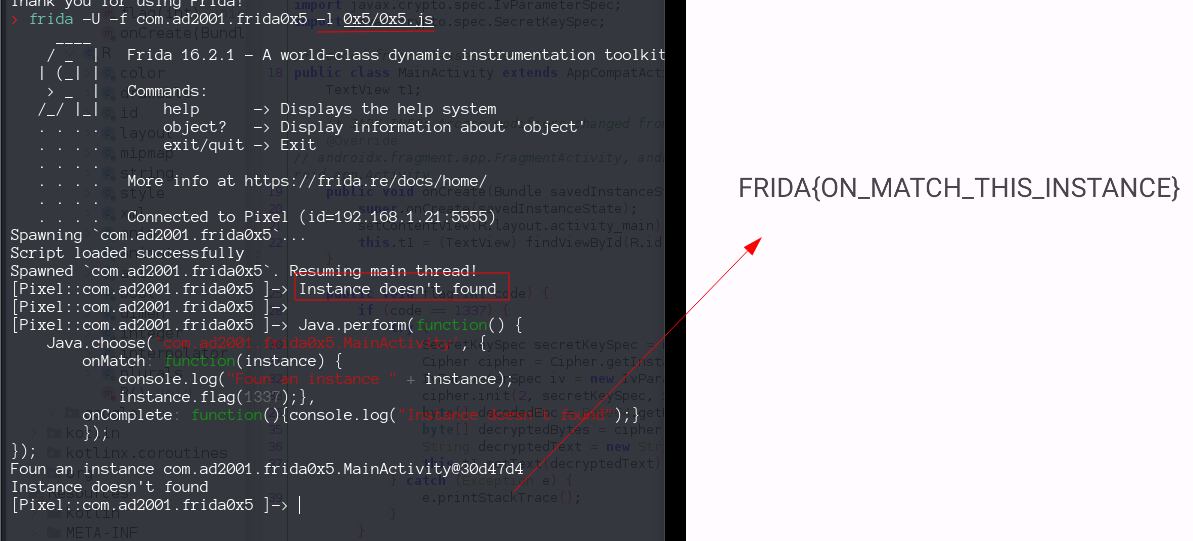
Challenge 0x6: Invoking a method with an object argument
Download apk an inspect the MainActivity, we saw
1
2
3
4
5
6
7
8
9
10
    public void get_flag(Checker A) throws NoSuchPaddingException, NoSuchAlgorithmException, InvalidKeyException, IllegalBlockSizeException, BadPaddingException {
        if (1234 == A.num1 && 4321 == A.num2) {
            Cipher cipher = Cipher.getInstance("AES");
            SecretKeySpec secretKeySpec = new SecretKeySpec("MySecureKey12345".getBytes(), "AES");
            cipher.init(2, secretKeySpec);
            byte[] decryptedBytes = Base64.getDecoder().decode("QQzMj/JNaTblEHnIzgJAQkvWJV2oK9G2/UmrCs85fog=");
            String decrypted = new String(cipher.doFinal(decryptedBytes));
            this.t1.setText(decrypted);
        }
    }
what is that Checker A ? an object from class Checker
1
2
3
4
public class Checker {
    int num1;
    int num2;
}
so what to do ? We instance a new object from Checker, with values 1234 and 4321, and pass as argument to get_flag() function ,but how we access to that function ? Seems we have to use the code on challenge 0x5.
1
2
3
4
5
6
7
8
9
10
11
12
13
14
15
16
17
18
19
console.log("Script loaded successfully ");

Java.perform(function() {
    Java.choose('com.ad2001.frida0x6.MainActivity', {
        onMatch: function(instance) {
            const checker = Java.use('com.ad2001.frida0x6.Checker');

            var checkInstance = checker.$new();
            checkInstance.num1.value = 1234;
            checkInstance.num2.value = 4321;

            console.log("instance found " + instance);
            instance.get_flag(checkInstance);
        },
        onComplete: function(){
            console.log("Instance doesn't found");
            }
        });
});
again i have to run with the script and then run again from the console. 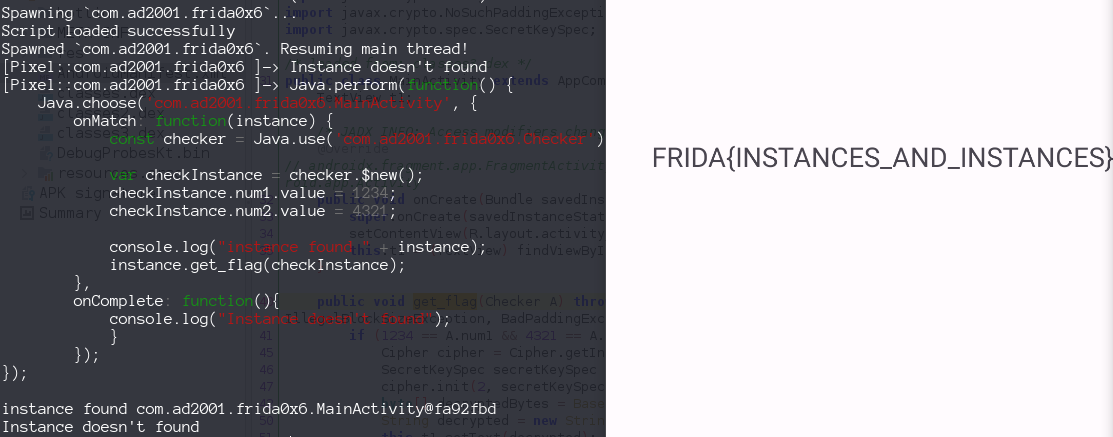
Challenge 0x7: Hooking the constructor
Download the apk and inspect the MainActivity.
1
2
3
4
5
6
7
8
9
10
11
12
    public void onCreate(Bundle savedInstanceState) {
        super.onCreate(savedInstanceState);
        setContentView(R.layout.activity_main);
        this.t1 = (TextView) findViewById(R.id.textview);
        Checker ch = new Checker(123, 321);
        try {
            flag(ch);
        ...
    public void flag(Checker A) throws NoSuchPaddingException, NoSuchAlgorithmException, InvalidKeyException, IllegalBlockSizeException, BadPaddingException {
    if (A.num1 > 512 && 512 < A.num2) {
        Cipher cipher = Cipher.getInstance("AES");
    ...
So this time the flag method is called !, ch will not give us the flag because doesn’t pass the If statement.
1
2
3
4
5
6
7
8
9
10
public class Checker {
    int num1;
    int num2;

    /* JADX INFO: Access modifiers changed from: package-private */
    public Checker(int a, int b) {
        this.num1 = a;
        this.num2 = b;
    }
}
We need to hook the constructor
1
2
3
4
5
6
Java.perform(function() {
  var checker =  Java.use("com.ad2001.frida0x7.Checker");
  checker.$init.implementation = function(param){
    this.$init(600, 600);
  }
});
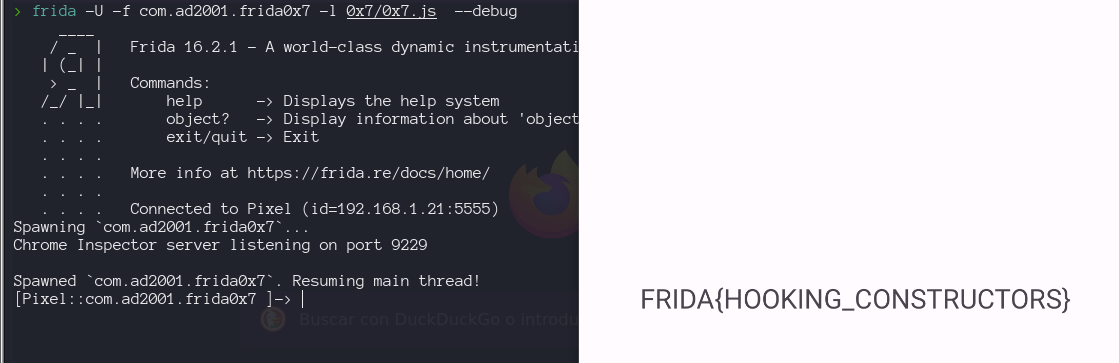
Challenge 0x8: Introduction to native hooking
Here we saw on the MainActivity
1
2
3
4
5
6
7
8
9
10
11
12
13
14
15
    public native int cmpstr(String str);

    static {
        System.loadLibrary("frida0x8");
    }
    ...
                public void onClick(View v) {
                String ip = MainActivity.this.edt.getText().toString();
                int res = MainActivity.this.cmpstr(ip);
                if (res == 1) {
                    Toast.makeText(MainActivity.this, "YEY YOU GOT THE FLAG " + ip, 1).show();
                } else {
                    Toast.makeText(MainActivity.this, "TRY AGAIN", 1).show();
                }
            }
So we will try to use this video as a reference for Native Hooking.
Enumerating imports and exportes defined inside the binary
These are imports required to run 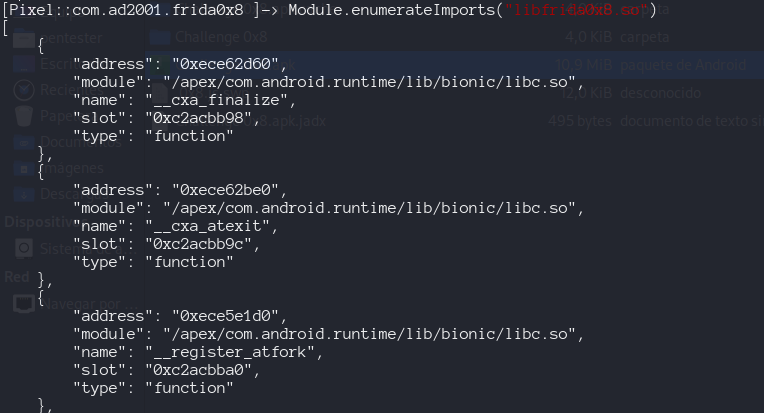
These are the methods exported by our application, if we want to hook cmpstr, we need his address 0xc2aca770 inside the applicacion.
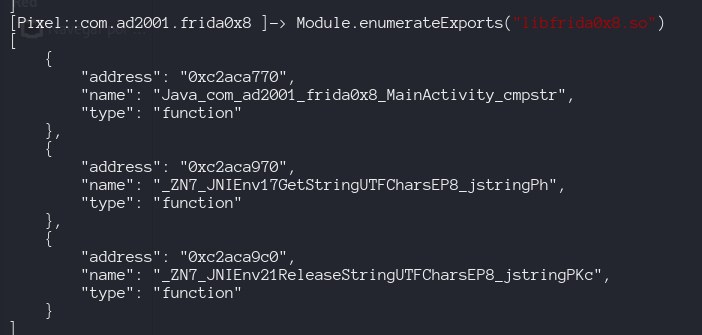
We will need to use interceptor.attach, to intercept native methods. To find the name of the method cmpstr inside the .so we use ghidra 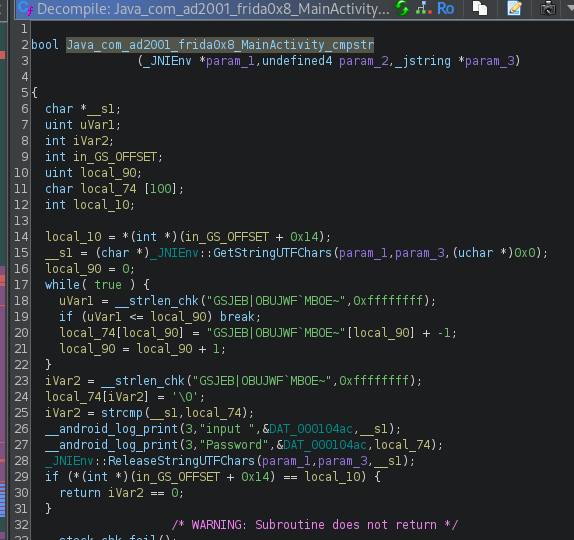
So this is my code to HOOK the method inside the library
1
2
3
4
5
6
7
8
9
10
11
12
13
14
15
16
17
18
19
20
Java.perform(() => {
    const MainActivity = Java.use('com.ad2001.frida0x8.MainActivity')
    var hasBeenCalled = false;
    MainActivity.cmpstr.implementation = function (str){
        console.log("After native library loading: " + str);
        console.log(this.cmpstr(str));
        if (!hasBeenCalled) {
            const f = Module.getExportByName('libfrida0x8.so','Java_com_ad2001_frida0x8_MainActivity_cmpstr');
            Interceptor.attach(f, {
                onEnter(args){
                    console.log('cmpstr called from: \n' +
                    Thread.backtrace(this.context, Backtracer.ACCURATE)
                    .map(DebugSymbol.fromAddress).join('\n') + '\n');
                }
            });
        }
        hasBeenCalled = true;
        return this.cmpstr(str);
    };
});
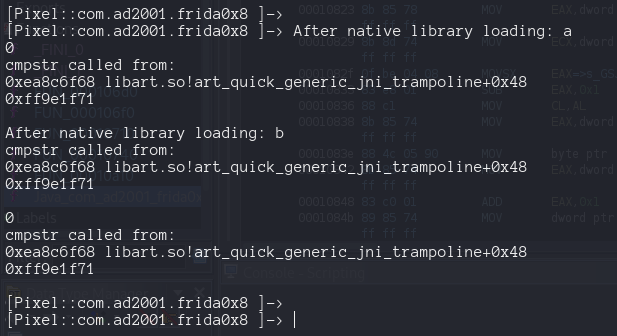
and works very good, but how do we get the flag?. As a i am not an expert on reversing, can figure it out what happend inside the library, just assume there is our flag.
Looking at the dissasemble code from ghidra we saw this
1
2
3
iVar2 = __strlen_chk("GSJEB|OBUJWF`MBOE~",0xffffffff);
password[iVar2] = '\0';
iVar2 = strcmp(__s1,password);
__s1 is our input, so that password variable ( i rename it) I bet is our flag. The most interesting thing is the use of strcmp , we can review the Imported function
So we need to hook strcmp ! How we can find his address ? 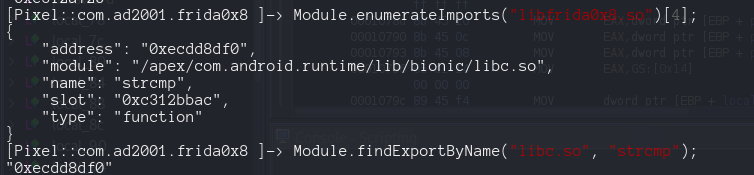
So we repeat our code but this time pointing to strcmp
1
2
3
4
5
6
7
8
9
10
11
12
13
14
15
16
17
18
19
20
21
22
23
24
25
26
Java.perform(() => {
    const MainActivity = Java.use('com.ad2001.frida0x8.MainActivity')
    var hasBeenCalled = false;

    MainActivity.cmpstr.implementation = function (str){
        console.log("After native library loading: " + str);
        console.log(this.cmpstr(str));

        if (!hasBeenCalled) {
            const f = Module.findExportByName("libc.so", "strcmp");
            Interceptor.attach(f, {
                onEnter(args){
                    console.log('strcmp hooked');
                },
                onLeave(retval){
                    console.log('Leaving ');
                }
            });
        }

        hasBeenCalled = true;
        return this.cmpstr(str);

    };

});
we see a lot of times this message, even if we just enter an input once. 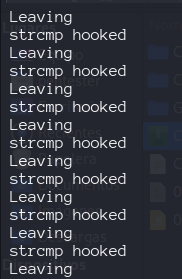 This is happening because we have hooked into every strcmp in the application. For reading a string from the memory using frida. We can use Memory.readUtf8String() API. It reads a utf string from the memory using the provided address. The args is an array of pointers that contains the arguments for the strcmp function. So to access the first argument we can use arg[0].
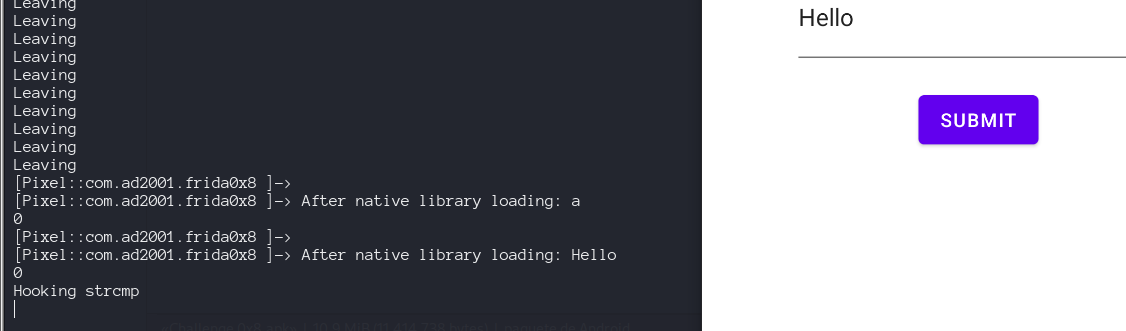
Now if we want to print the second argument (the password) we just use arg[1]. 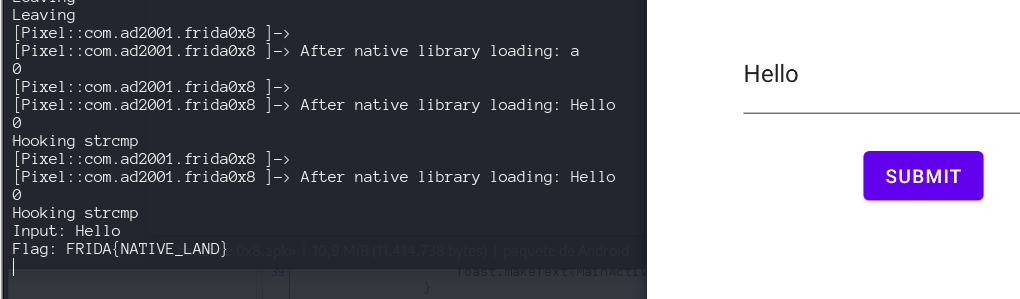
Challenge 0x9 : Changing the return value of a native function
Download the apk from github repo and use jadx to read MainActivity
1
2
3
4
5
6
7
8
9
    public native int check_flag();

    static {
        System.loadLibrary("a0x9");
    }
    ...
     public void onClick(View v) {
                if (MainActivity.this.check_flag() == 1337) {
                    try {
So we will do the same process as the 0x8 challenge, lets check on ghidra what is inside liba0x9.so. 
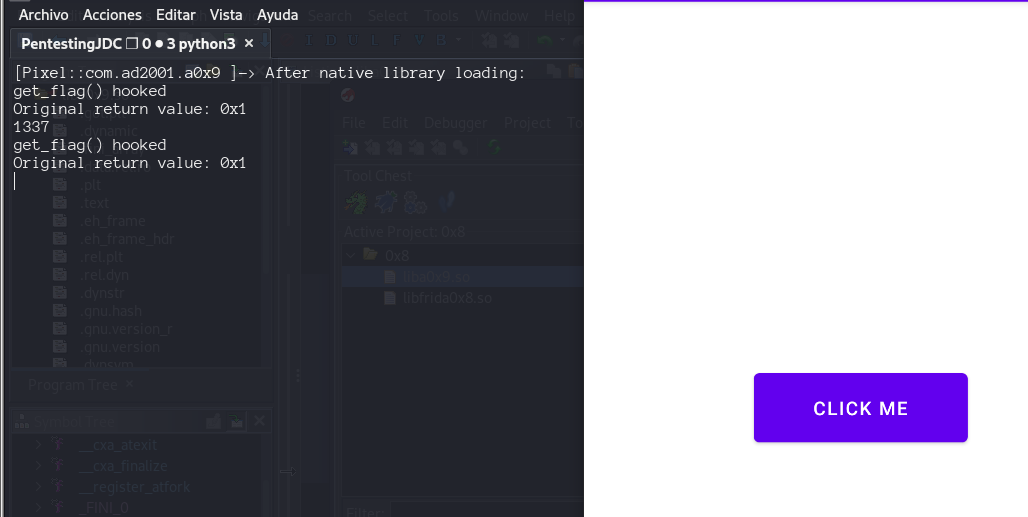
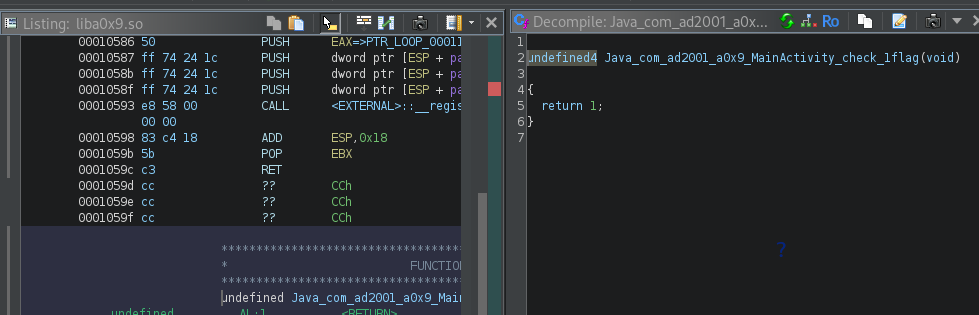 This time we will uses the onLeave function for the Interceptor API, which allow us to modify the return value from the native hooked function.
1
2
3
4
5
6
7
8
9
10
11
12
13
14
15
16
17
18
19
20
21
22
23
24
25
Java.perform(() => {
    const MainActivity = Java.use('com.ad2001.a0x9.MainActivity')
    var hasBeenCalled = false;

    MainActivity.check_flag.implementation = function (){
        console.log("After native library loading:");
        console.log(this.check_flag());

        if (!hasBeenCalled) {
            const f = Module.findExportByName("liba0x9.so","Java_com_ad2001_a0x9_MainActivity_check_1flag");
            Interceptor.attach(f, {
                onEnter(args){
                    console.log('get_flag() hooked');
                },
                onLeave(retval){
                    console.log("Original return value: " + retval);
                    retval.replace(1337);
                }
            });
        }
        hasBeenCalled = true;
        return this.check_flag();

    };
});